Target Company URL Research: What the Free Tool Actually Does
Find likely company websites from business names, review match confidence, create careers-page links, and export domain research without checking every company by hand.

Introduction
Finding a company’s real website sounds simple.
Sometimes it is.
Sometimes several businesses use similar names. Old websites may still rank. A directory page can appear above the real company site.
That is where Target Company URL Research comes in.
Short Answer: What Is Target Company URL Research?
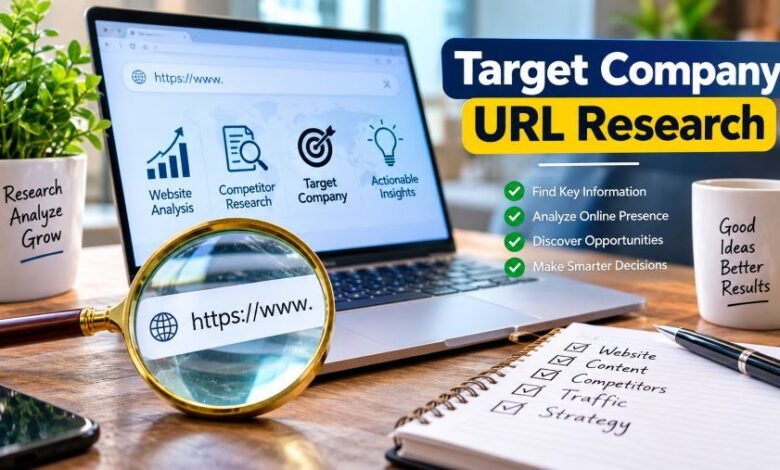
Target Company URL Research is a free browser-based tool that helps users find likely official company websites from company names. It supports batches of up to 25 names, shows match-confidence scores, offers alternative domains, and lets users export results to CSV.
Important matches should still be checked manually.
Quick Facts
| Detail | Information |
|---|---|
| Main purpose | Find likely company domains from company names |
| Cost | Free |
| Account required | No |
| Credit card required | No |
| Bulk lookup | Up to 25 names per run |
| Main lookup source | Clearbit Autocomplete |
| Match scoring | Yes |
| Alternative matches | Yes |
| CSV export | Yes |
| Careers Finder | Yes |
| Brand Directory | Yes |
| Country filtering | Yes |
| Full company enrichment | No |
| Paid API sold by the site | No |
| Connection to Target Corporation | None |
| Domain registration date shown by third-party WHOIS data | June 11, 2026 |
The site’s current feature pages and documentation support these tool details. Third-party WHOIS information lists the domain registration date as June 11, 2026.
What Does Target Company URL Research Do?
Its main job is straightforward.
You enter a company name.
The tool tries to return the most likely company domain.
That can help with:
- B2B prospect research
- CRM data cleanup
- recruitment research
- company-list building
- marketing research
- spreadsheet enrichment
- competitor research
- supplier checks
The basic workflow looks like this:
Company name → candidate domain → match score → manual check → approved company website
That last step matters.
A suggested domain is not automatically verified.
How Does Target Company URL Research Work?
Users can paste company names into the lookup box.
The site says it removes duplicates and common legal endings such as:
- Ltd
- LLC
- Inc
- PLC
- GmbH
That can make name matching cleaner.
The tool then queries its underlying company lookup source and returns likely company names and domains.
The current interface supports up to 25 company names per run.
Results may include:
- the original company name
- the matched company name
- the suggested domain
- a similarity score
- a confidence label
- other possible matches
Users can then export the results to CSV.
Pretty simple.
What Do the Match Scores Mean?
The match score helps users judge how closely the entered name resembles the returned company name.
A higher score usually means the two names are more similar.
But similarity is not identity.
That is the key point.
A company called Atlas, for example, may have many unrelated businesses using that word.
So even a strong text match can point to the wrong company.
The site’s confidence labels are best read like this:
High — strong name similarity.
Medium — possible match. Check it.
Low — weak match. Treat it as a lead only.
For valuable prospects or business research, open the suggested domain and confirm the company yourself.
Is the Match Score Proof of Company Identity?
No.
A match score is only a signal.
It does not prove that a website belongs to the exact company you intended to research.
This is especially important with:
- common business names
- international companies
- subsidiaries
- renamed businesses
- brands owned by larger groups
- companies with regional domains
So the smart workflow is simple.
Use the tool to narrow the search.
Then verify the result.
What Data Source Does Target Company URL Research Use?
The site’s current documentation says its live company lookup uses Clearbit Autocomplete.
Its developer guide explains that the browser tool relies on the same public company-autocomplete endpoint discussed in its technical documentation.
The basic response can return candidate company names and domains.
That explains what the service is built for.
It is mainly a company-name-to-domain lookup tool.
It is not a full business-intelligence database.
What Information Can the Tool Return?
The main output is the company domain.
That is its core job.
The free lookup does not claim to provide a complete corporate profile with:
- verified annual revenue
- employee counts
- funding rounds
- executive lists
- phone numbers
- detailed addresses
- financial statements
- verified contact emails
Users who need deeper enrichment will need a broader business-data platform.
So the distinction is clear.
Need a domain?
This tool may help.
Need full company intelligence?
Use something built for that job.
Can You Search Multiple Companies at Once?
Yes.
The current tool supports up to 25 company names per run.
That can save time when working with a list.
For example, a recruiter may have 15 employers in a spreadsheet.
A salesperson may have 20 prospect companies.
A researcher may be checking a list of firms from an industry report.
Instead of searching every company one by one, the names can be entered together.
The results can then be exported as CSV.
Can You Export the Results?
Yes.
The website supports CSV export.
That makes the tool more useful for spreadsheet work.
A CSV file can then be opened in:
- Microsoft Excel
- Google Sheets
- Apple Numbers
- CRM import tools
- data-cleaning software
The site’s documentation says export fields may include the original company name, matched company name, domain, score, and match label.
What Is the Careers Page Finder?
Target Company URL Research also includes a Careers Finder.
This feature does not show confirmed job openings.
Instead, it creates likely career-page URLs from a company domain.
Common examples may include paths such as:
/careers
/jobs
This can save a little time.
But generated links may not always work.
Some companies use different website structures.
Others host jobs on third-party recruitment systems.
So the Careers Finder should be treated as a shortcut.
Not a live jobs database.
Does the Careers Finder Show Active Vacancies?
No.
It does not confirm whether a company is hiring.
It only helps users reach likely careers or jobs pages.
A company can have a working careers page with no current vacancies.
Another company may host all vacancies outside its main website.
Always check the page itself.
What Is the Brand Directory?
The website also has a Brand Directory.
This section is different from the live lookup tool.
It contains a curated list of known companies grouped by category or industry.
The current site says this directory was last checked in August 2026.
Users can search brands by:
- company name
- keyword
- industry
- category
This can help with quick company discovery.
But it is not presented as a complete list of every business in an industry.
What Is the Companies by Country Feature?
The country section filters the site’s curated company directory by headquarters country.
That can help someone build a basic list of companies from a particular market.
For example:
- UK businesses
- US businesses
- German companies
- companies in another supported country
Still, this should not be confused with an official government registry.
For legal checks, use an official company register.
Is Target Company URL Research Free?
Yes.
The current website says the main lookup tool is free.
It also states that users do not need:
- an account
- a credit card
- a paid subscription
There is currently no paid plan listed for the main lookup tool.
The site’s API guide also says it does not sell its own API.
Does Target Company URL Research Have an API?
The site says it does not sell a separate proprietary API.
Its technical guide instead explains how the underlying company autocomplete source works.
So users looking for a commercial API product from Target Company URL Research itself should not assume one exists.
The website is mainly a browser-based utility.
Does the Site Store Submitted Company Lists?
The website says submitted company names are sent from the user’s browser to the external lookup endpoint.
It also states that submitted lists are not logged on its own servers or sold.
That is the site’s stated handling model.
Users working with sensitive internal company lists should still read the site’s current privacy information before using any third-party lookup service.
Who Runs Target Company URL Research?
The About page identifies the operator as Team Target Company URL Research.
The site says the team maintains the tools and curated company information.
Some guides on the website are credited to Rizwan Aslam.
That confirms authorship of those articles.
It does not, by itself, prove legal ownership of the website.
The public pages reviewed do not clearly establish a named registered operating company, verified revenue figure, staff count, or headquarters.
Those details should not be guessed.
What Contact Details Are Public?
The official Contact page currently lists:
Email: support@rankboster.com
WhatsApp: +880 13371-88832
Telegram: @rankboster0
The website says these channels can be used for:
- incorrect URLs
- missing companies
- technical problems
- partnerships
- general questions
Is Target Company URL Research Connected to Target Corporation?
No.
The website explicitly states that it is independent from Target Corporation, the US retailer.
The word target here refers to a company being researched.
For example:
target account
target prospect
target company
Different meaning entirely.
How Old Is TargetCompanyURLResearch.com?
Third-party WHOIS information currently lists the domain registration date as June 11, 2026.
That makes it a relatively young domain as of September 2026.
Third-party records also show:
- Hostinger Operations, UAB as registrar
- a valid Let’s Encrypt SSL certificate
- limited public domain history
A young domain does not automatically mean a site is unsafe.
It simply means there is less long-term reputation data available.
Is Target Company URL Research Safe?
There is not enough evidence to label the website fraudulent.
Its main tool does not require payment or card details.
The site also uses HTTPS.
A third-party automated trust service currently gives the domain a low trust score, mainly because the domain is new and has limited traffic history.
That same third-party page also shows positive technical signals such as a valid SSL certificate.
Automated trust scores should be read carefully.
They are signals.
Not proof.
For this site, a fair reading is:
new domain, limited reputation history, free utility, normal caution advised.
What Are the Main Benefits?
The tool has several practical strengths.
No account wall
You can use the main lookup without registering.
Bulk lookup
Up to 25 company names can be checked in one run.
CSV export
Results can move straight into spreadsheet work.
Match confidence
Scores help users spot rows that need manual review.
Alternative domains
Users can compare possible matches instead of accepting the first result.
Careers-page shortcuts
The Careers Finder can speed up job-page research.
Free access
There is no listed paid plan for the main lookup.
What Are the Main Limitations?
There are clear limits too.
Results can be wrong
Similar names can point to unrelated companies.
Small firms may be missing
New or less visible companies may not appear in the underlying source.
It depends on an external endpoint
If that source changes or stops working, the lookup can be affected.
It is not a legal verification service
A returned domain does not confirm company registration or ownership.
It is not full company enrichment
Revenue, staffing, funding, executives, and contact data are outside the main tool’s scope.
The domain is young
Its independent reputation history is still limited.
Pros and Cons
| Pros | Cons |
|---|---|
| Free to use | Results still need checking |
| No registration | Common names can cause bad matches |
| No card required | Not a full company database |
| Up to 25 names per run | Small or new companies may be missed |
| CSV export | Depends on an external lookup source |
| Match confidence labels | Young domain with limited reputation history |
| Alternative matches | Careers links may not always work |
Who Should Use Target Company URL Research?
The tool fits users who already have company names and need likely official websites quickly.
Good use cases include:
Sales teams
Fill missing company-domain fields before prospect research.
Recruiters
Find company websites and possible career pages.
Marketing teams
Clean campaign or account lists.
Researchers
Move from business names to primary websites faster.
CRM managers
Review missing or incorrect domain fields.
Students
Find official company sources for basic research.
For high-value business decisions, use extra verification.
Can It Replace Google Search?
Not completely.
Google can still help when:
- the company has a common name
- several domains appear
- the business recently rebranded
- the company has regional websites
- the lookup returns no result
Target Company URL Research is better treated as a time-saving first pass.
Manual search still has value.
Can It Replace an Official Company Registry?
No.
An official company registry is used to verify legal business information.
A domain finder does something different.
It helps locate a likely website.
For company due diligence, check:
- official registries
- company filings
- legal notices
- corporate websites
- regulator databases
- other primary sources
Can You Trust Every Result?
No.
And you should not.
The tool gives you candidate domains.
Your job is to verify the important ones.
High-confidence matches may only need a quick spot check.
Medium matches deserve closer review.
Low matches should be treated carefully.
That workflow keeps errors down.
Final Thought
Target Company URL Research does one main job.
It helps turn company names into likely company domains.
The tool is free, supports small batches, gives match-confidence signals, offers alternative candidates, creates likely careers links, and exports results to CSV.
That makes it useful for quick research.
Just keep one rule in mind.
A domain match is a starting point, not final proof.
Check important companies yourself.
That is the safest way to use it.
Frequently Asked Questions
What is Target Company URL Research?
Target Company URL Research is a free tool that finds likely company websites from business names.
Is Target Company URL Research free?
Yes. The current website says the lookup is free and does not require an account or credit card.
How many companies can I search at once?
The current tool supports up to 25 company names per run.
What data source does it use?
The site says its live domain lookup uses Clearbit Autocomplete.
Does a High match guarantee the correct company?
No. A High score shows strong name similarity, not confirmed business identity.
Can I export the results?
Yes. The website supports CSV export.
Does it provide company revenue or employee data?
No. Its main free lookup focuses on company names and domains.
Does the Careers Finder show live jobs?
No. It creates likely careers-page links but does not confirm vacancies.
Does Target Company URL Research have a paid plan?
The current website says there is no paid plan for the main lookup tool.
Is Target Company URL Research connected to Target Corporation?
No. The website explicitly says it is not affiliated with Target Corporation.
Is Target Company URL Research safe?
There is no verified evidence from the reviewed sources proving it is fraudulent. The domain is young, so normal caution and manual verification are sensible.